You’ve confirmed the dates, found the venue, and set your alarm — then the ticket sale opens and within 90 seconds, every seat is gone. For international fans attempting to buy K-pop concert tickets in Korea, this is the most common outcome, and it almost always comes down to preparation, not speed. The platform at the center of it all, Interpark Global, officially rebranded as NOL World in December 2025, adding hotel, transport, and activity bookings to its concert ticketing core. Master the system before the sale opens, and your chances improve dramatically.
목차(Contents)
Key Takeaways
- Interpark Global rebranded as NOL World on December 1, 2025 — the new URL is world.nol.com, and a dedicated app is available on iOS and Android.
- High-demand concerts require Verified Member identity verification via passport — complete this at least 1–2 days before the ticket sale opens, not on the day.
- Disable pop-up blockers before entering the queue, use a non-Korean-issued international card, and have your card OTP ready — these three steps prevent the most common checkout failures.
K-pop concerts in Seoul regularly sell out within minutes — the right system knowledge is your biggest advantage.
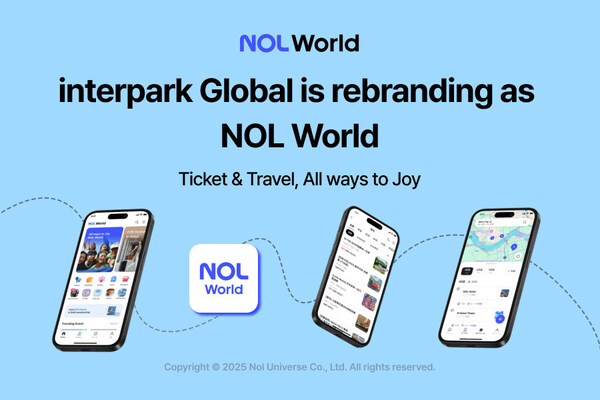
NOL World: What Changed and What Stayed the Same
As of December 1, 2025, Interpark Global completed its rebrand to NOL World, now accessible at world.nol.com. The core ticketing infrastructure — concerts, musicals, sports events, and exhibitions — remains identical, and existing Interpark Global accounts transferred automatically. What is new is the expanded travel layer: accommodation, transport passes, and tours are now bookable on the same platform, making it a practical all-in-one hub for K-pop tourists flying in specifically for a show. Download the app before your ticketing date, as the mobile interface is optimized for the queue system.
Not all K-pop concerts are on NOL World. Many artists ticket through Yes24 Global or Melon Ticket instead. Always check the artist’s official Weverse page or fan cafe announcement first — the ticketing platform is always specified there. Buying from the wrong site wastes critical minutes during the sale window.
The Full Ticket-Buying Process, Step by Step
Every step below must be completed in sequence. Skipping even one — particularly identity verification — will block you from purchasing entirely when the sale opens.
| Step | Action Required | When to Do It |
|---|---|---|
| 1. Create Account | Register at world.nol.com using your passport name in English exactly as it appears on your passport. | As early as possible |
| 2. Verified Member Check | If the concert is listed as “Verified Member Only,” submit a passport photo via the product page to link your identity to your account. | 1–2 days before the sale — admin review takes up to 24 hours |
| 3. Fan Club Presale | Official fan club members receive a presale code via Weverse or the fan cafe. Presales can sell out an entire show before general sale opens. | Typically 1–2 weeks before general sale |
| 4. Queue Entry | Log in before the sale opens and disable all pop-up blockers. Using multiple devices simultaneously does not work and may cause errors. | 10–15 minutes before sale opens (KST) |
| 5. Seat Selection | You have a 10-minute window total. Avoid clicking only on premium front-row seats — thousands of others are targeting the same ones simultaneously. | Once your queue number is called |
| 6. Payment | Use a non-Korean-issued international card. You have 7 minutes to complete payment. Have your card OTP ready before you reach this stage. | Immediately after seat selection |
Identity Verification and Face Pass Explained
The Verified Member system is NOL World’s primary anti-scalper measure. When a concert is designated “Verified Member Only,” only accounts with a verified passport can make a purchase. The name on your account must match your passport exactly — if your status shows “Pending Admin Approval,” it means a name recognition error occurred and you should submit a correction request immediately, allowing up to 24 hours for resolution. Verification is a one-time process per account, so once completed, it applies to all future Verified Member Only shows on that account.
At the venue itself, many major concerts now use Face Pass — a facial recognition gate entry system where you pre-register your photo in advance. Once registered, a camera at the entrance scans your face and grants entry without requiring a QR code or physical ticket. If your concert uses Face Pass, the registration link will be included in the official announcement on the NOL World product page or Weverse. Complete Face Pass registration several days before the event, not at the gate.
Insider Tip: Fans on r/kpophelp consistently report that checking the NOL World listing around KST midnight on cancellation deadline dates is one of the most reliable ways to find tickets after the initial sell-out. Korean fans cancel due to flight changes, schedule conflicts, or personal reasons — and the system re-lists those seats immediately. Note the cancellation deadlines listed on the product page, set a reminder, and check at midnight. Multiple community members have secured tickets this way weeks after the original sale.
Conclusion: TalkMaru’s Verdict
NOL World is the most foreigner-accessible K-pop ticketing platform in Korea, and the December 2025 rebrand has made the experience even more integrated for international visitors. The platform itself is not the obstacle — a lack of preparation is. Complete your Verified Member verification early, enable your international card for foreign transactions, disable pop-up blockers before entering the queue, and resist the instinct to click only the best available seat. Do all of this, and you will be genuinely competitive when the sale opens.
Tickets secured — now, how do you actually get to the venue? Seoul’s concert arenas span the city, from Olympic Park to Jamsil Arena, and Google Maps alone can let you down on public transit. Before concert day, read our sister site’s head-to-head test: Stop Getting Lost! Which Korean Map App is Truly Best for Foreigners? 2026 Tested — it tells you exactly which navigation app will get you there on time.